

We are observing inconsistent behavior across two Dayforce Stage instances when posting identical punch data via the
Originally posted by Hong Zhao on March 18, 2026 at 7:25 PM.
We are observing inconsistent behavior across two Dayforce Stage instances when posting identical punch data via the
POST: /V1/EmployeePunches endpoint.
Common Parameters:
- Schedule: 09:00 – 17:30
- Punch Window: 08:45 – 09:00
- Method: POST: /V1/EmployeePunches
- DocketXRefCode included
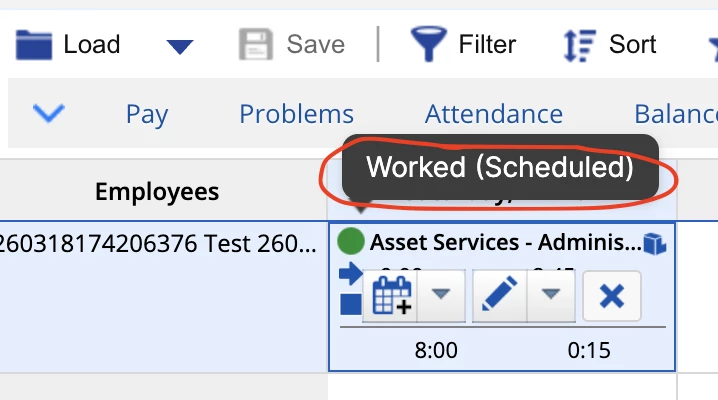
For SeQWaterStage, the punches are applied to timesheet with Worked (Scheduled)
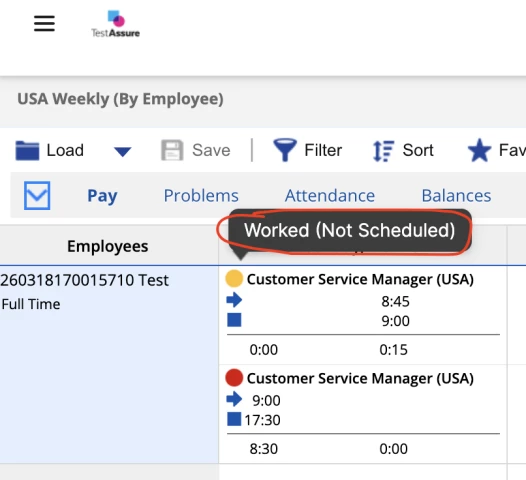
and for dsppagileastage, the punches are applied to timesheet with Worked (Not Scheduled).
Any ideas why same API punches are being applied differently in the two timesheet instances?
see the API requests and screenshots on timesheet:
Request Body
Dayforce Instance - Stage, company - SEQWaterStage
{
"DeptJobXRefCode": "JAS_ASSET_SERVICES_ADMINISTRATION_OFFICER_I",
"DocketXRefCode": "APPLY_OVERTIME_TO_FLEXTIME",
"EmployeeXRefCode": "260318174206376",
"OrgUnitXRefCode": "OSD_ASSET_SERVICES_IPSWICH",
"TimeEnd": "2026-03-14T09:00:00.000Z",
"TimeStart": "2026-03-14T08:45:00.000Z"
}
Dayforce Instance - Stage, company - dsppagileastage
{
"DeptJobXRefCode": "Customer Service Manager (US)",
"DocketXRefCode": "Docket1",
"EmployeeXRefCode": "260318170015710",
"OrgUnitXRefCode": "Customer Service (US)",
"TimeEnd": "2026-03-15T09:00:00.000Z",
"TimeStart": "2026-03-15T08:45:00.000Z"
}
Thanks,
Hong


